For Photographers

Backup For The Future

Most of my portrait retouching involves correcting mistakes made during the photo shoot. Common issues include unflattering lighting, poor camera angle, crooked clothing, stray hairs, and distracting backgrounds.

More recently, I’ve been asked to repair the work of amateur retouchers. This means the customer, or their friend, tried to edit the portrait themselves.

Inexperienced editing often leaves obvious signs behind: visible brush strokes, harsh transitions, heavy-handed skin smoothing, halos around the subject, too much saturation, over sharpening, and poor use of the Clone Stamp tool. Any of these can make a portrait look artificial and unprofessional.

Always Save The Original Photo

The biggest challenge for me is that the original, untouched image is often gone. The customer, or their friend, edited the original and saved over it without first making a backup.

This leaves me with a second generation image that has already lost detail, resolution, and editing flexibility. Every round of destructive editing makes it harder to produce a natural, high-quality result.

If you’re learning retouching, that’s great. Everyone begins somewhere.

Just remember one essential rule: always work on a copy of the original image. Keep the original file untouched, no exceptions. It serves as your safety net if something goes wrong. It also preserves the maximum amount of image data, and gives you the option to change the edit in the future.

 

Retouching Psychology

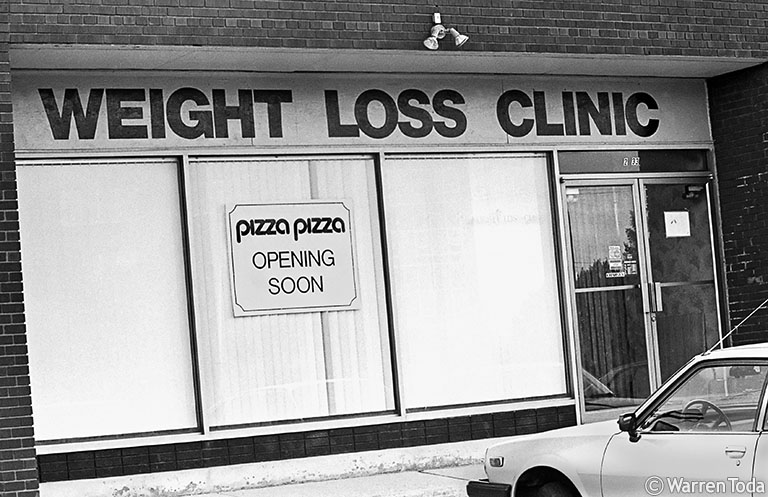
When I worked for a daily newspaper, a slow news day meant the photographers had to drive around the city looking for interesting images. I was partial to humorous photos because newspapers rarely contained any humour.

All the photos in this post are view-from-my-office photos.

(This long post is for photo retouchers and portrait photographers.)

What causes someone to cancel their retouching order even though the retouching is exactly what they asked for?
Continue reading →

Narrowing The Field

You don’t have to be a great photographer, although that would be nice. Instead, you have to be consistently better than average. Over time, you will become more experienced which can elevate your skills to an expert level.

Being an expert is not about talent. It’s about putting in the time and truly learning something. For example, you can become an expert at portrait photography if you really learn about portraiture. This has nothing to do with raw talent or being gifted. It’s about putting in the time and effort to learn.

As your expertise grows, so can your rates. The more you charge, the narrower your niche becomes. As your niche narrows, the more concentrated you become and the more your expertise can grow. The more expertise you gain, the more you can charge.

It’s a cycle: expertise leads to higher rates; higher rates lead to a more focused niche; a more focus niche fosters further expertise which can lead to higher rates.


Give Your Photography Value A Nudge

Price is set by you, the photographer, but value is set by your customers. Your task is to align the two. You have to align your prices with the perceived value of your photography.

Perceived value refers to the benefits a customer believes they will receive from your photography. The higher the perceived value, the greater the customer satisfaction. Additionally, a higher perceived value allows you to charge higher prices. Since a strong perceived value benefits both you and the customer, it’s essential to focus on enhancing it.

While price will reflect tangible factors like your time and costs, value is subjective. It’s emotional and varies from customer to customer. Value to the customer depends on:
Continue reading →

Understanding Photography Pricing

Price is set by you, the photographer, but value is perceived by the customer:

Perceived value = Expected benefit(s) – Perceived cost

where Perceived cost = monetary cost + the effort needed to make the purchase.

If Expected benefits = Perceived cost, then value is zero. The customer probably won’t buy.
Continue reading →

How To Write Full IPTC

(A very long post about a simple topic.)

Much to my surprise, one of the most popular posts on this blog is a 2018 article about how to write a photo caption. As a follow-up to that article, this post will explain how to fill out the other IPTC data fields found in most photo software.

IPTC refers to the International Press Telecommunications Council, a consortium of major news agencies formed in 1965. The consortium established, and maintains, universal technical standards for the exchange of news data. This means that some of the IPTC fields will apply only to news photographers and perhaps stock agency photographers. But there are several fields that every photographer should be using.
Continue reading →

Observations from Photo Retouching

I’ve recently been retouching a lot of photos shot by other photographers. Some were really good and needed only minor edits or some compositing. But others, not so much.

A lot of my retouching work involves fixing photographer mistakes and trying to salvage images marred by poor posing, bad lighting, or weak composition.

Retouching Family Portraits

I recently worked on two sets of outdoor family portraits shot by different photographers.
Continue reading →

css.php