As a follow-up on my previous post about removing makeup with photo retouching, here are three more examples.
Skin Texture Is Important
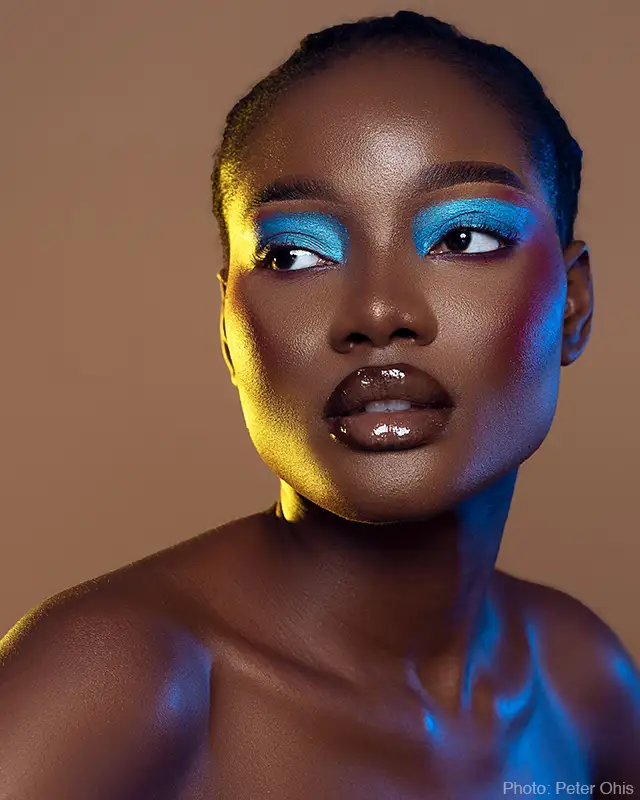
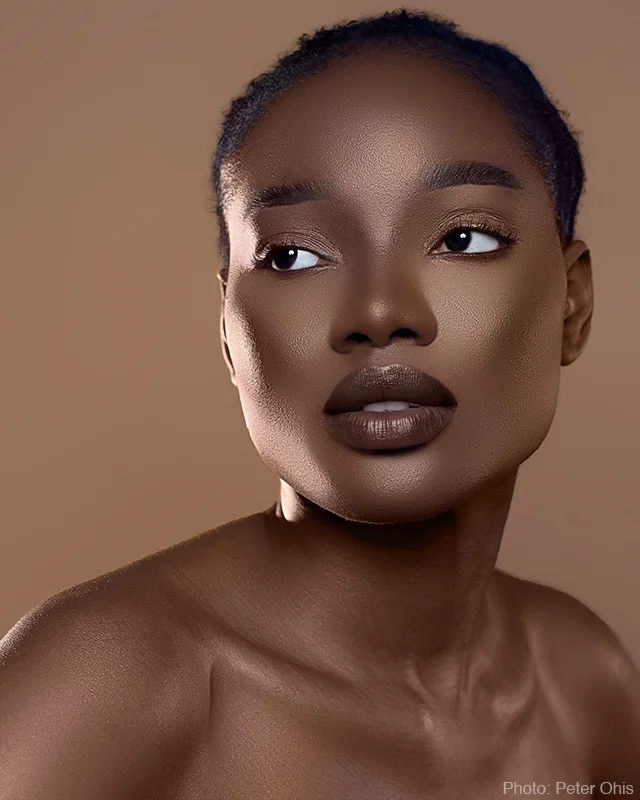
The first example (above) was relatively straightforward because the makeup and coloured lighting didn’t completely obscure the underlying skin texture. I could remove the makeup and coloured lighting while preserving the natural characteristics of the model’s skin.
But the lipstick was a problem. It completely covered the natural details of the lips, so there was nothing for me to restore using conventional retouching. AI was used to recreate the lips, and then manual retouching reshaped and adjusted the lips to fit the portrait.
Are the new lips accurate? No. They’re plausible. The model and her friends might know the lips aren’t real, but to everyone else, they look natural.
AI Can Only Partially Help
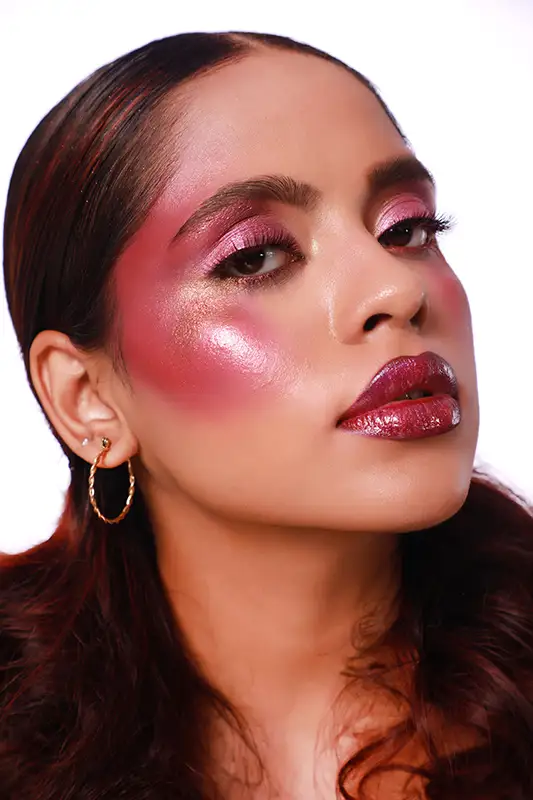
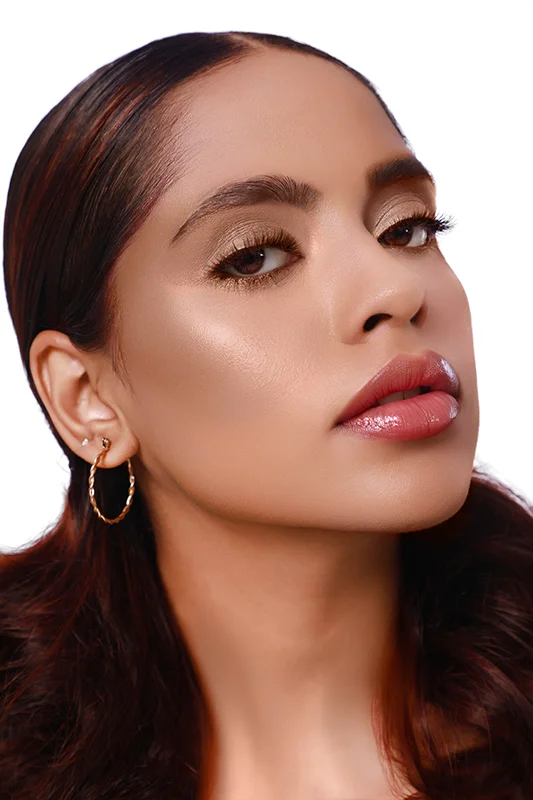
This second image has some particularly unusual makeup. Fortunately I could remove most of it because the underlying skin texture remained visible.
The glitter lipstick was another story. It was applied so heavily that conventional retouching couldn’t recover the original lip details. I again used AI to recreate the lips. But, as common for AI, the result wasn’t an exact match for the model’s original lips. Manual retouching was used to adjust the new lips to more closely match the original photo. The result is certainly plausible.
Some glitter between the eyelashes still remains. Removing all the glitter would’ve taken much longer, but the benefit would’ve be minimal.
Plausible Isn’t The Same As Accurate
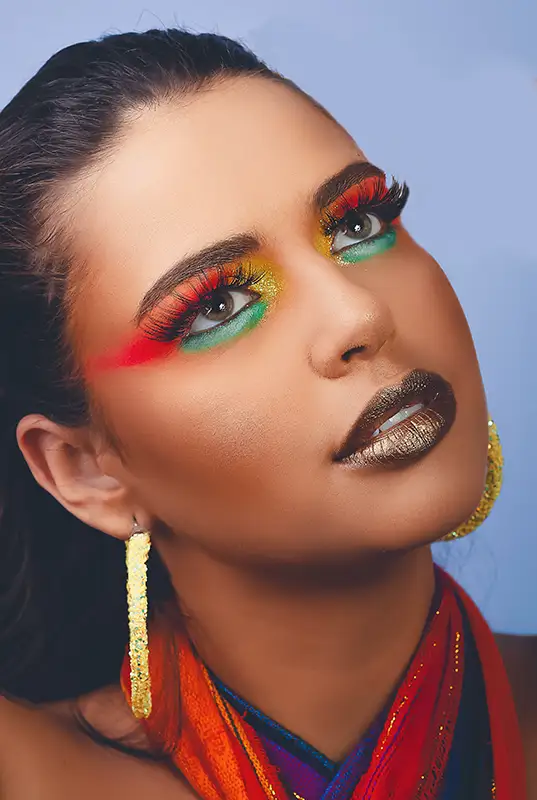
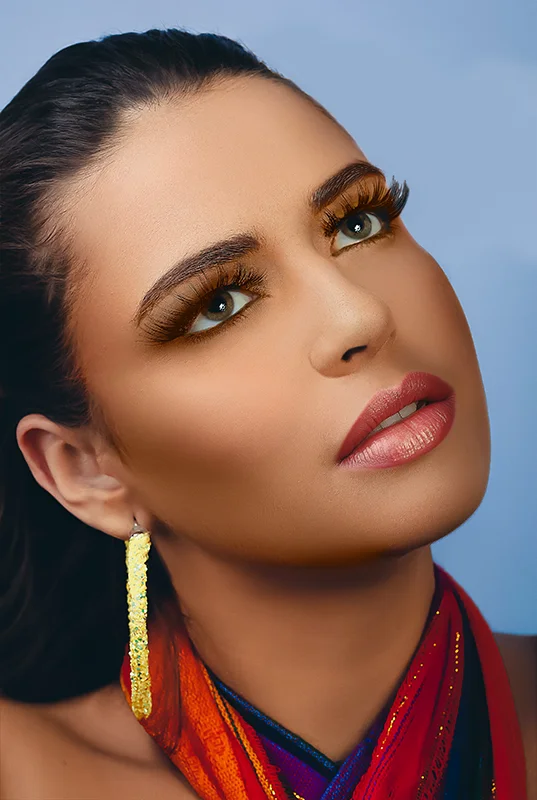
The third photo has the same limitation, so AI was used to recreate the model’s lips. But again, the AI result was an approximation rather than an accurate reconstruction of her actual lips. Manual retouching techniques were used to reshape and adjust the new lips so they better matched the original photo.
These three examples highlight an important point about AI-assisted retouching: AI doesn’t reveal what’s underneath, it recreates what it thinks should be there.
AI can speed up some parts of the process, but it shouldn’t be confused with accurate retouching. Because AI recreates rather than retouches, it can introduce subtle changes to a person’s facial features, proportions, and skin texture. Manual retouching is necessary to correct those changes.
Why Makeup Removal Takes Time
Removing makeup from a portrait may look easy, but it can be very time consuming. Depending on the amount and type of makeup, and how it was applied, a single image can take an hour or more to retouch.
The process can involve removing makeup colour, correcting skin brightness and colour, and restoring skin, lip, and eyelid texture. Portrait retouching requires particular care because small changes to facial features can noticeably alter the subject’s appearance.
For accurate photo and headshot retouching, manual retouching remains the most reliable approach. It may be slower, but it gives total control over the details that make a person look like themselves.
